Extole campaign states control the experience participants have in your referral program, particularly important during limited-time offers, bursts, and A/B tests. Use this guide to understand what your advocates and friends will see with each campaign state to help you manage your campaigns smoothly.
When running bursts or A/B tests, deciding when and how to move your campaign between states affects which offer referred friends will receive after the promo ends.
If you want in-progress referrals to still be eligible for rewards after the promotional period, set the campaign to PAUSED.
To prevent in-progress referrals from accessing the old offer, set the campaign to ENDED.
Most clients will set a campaign to pause for the length of their “pending period” (example, must do two direct deposits in 60 days) and then switch to ended.
Tip: If your program has multiple friend events (e.g., application started, submitted, approved, or funded), check with your Customer Success Manager (CSM) to ensure your campaign states function according to your intended referral journey.
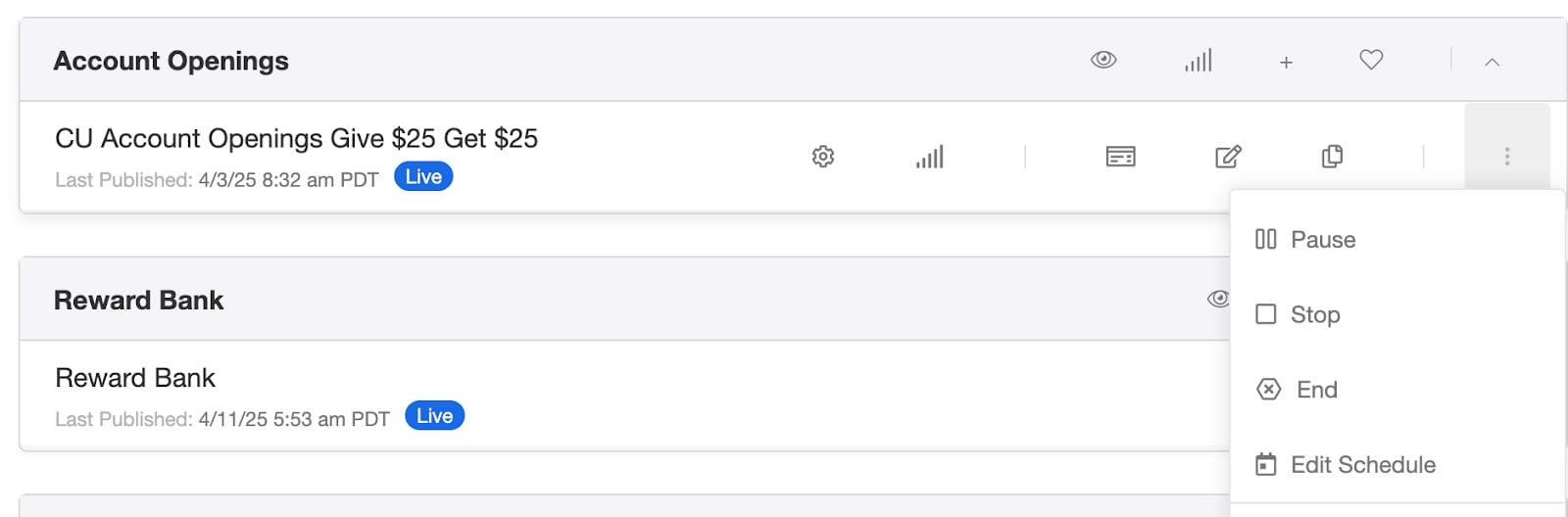
Switching the state of your campaign is simple from the Programs Page. Find the campaign, click the three dots, and choose the state you’d like to move it to. You will be prompted with a page asking you to confirm you want to update the campaign and then it will automatically make the switch.
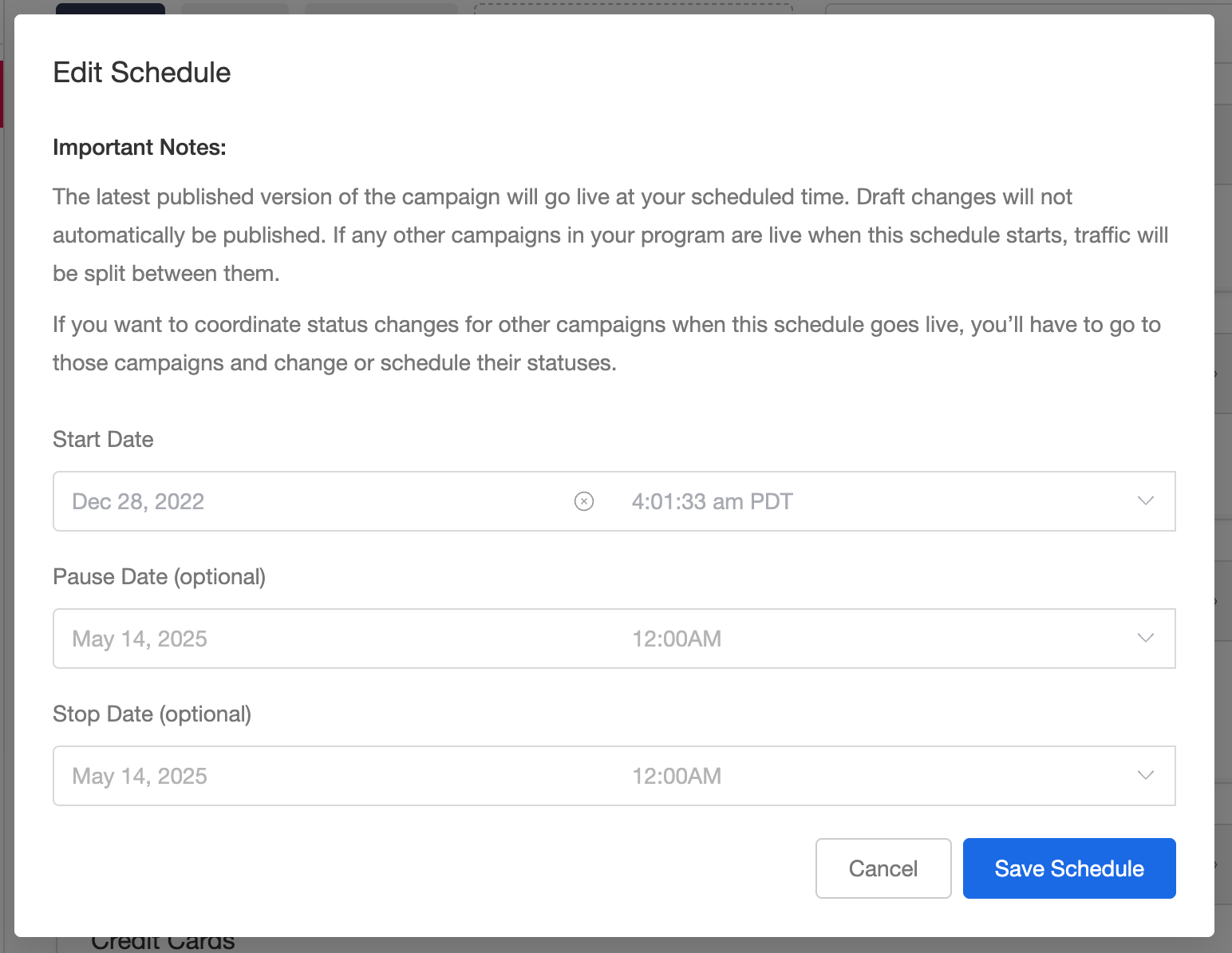
You can also schedule campaigns to Go Live or Pause. Click the three dots and choose Edit Schedule to set the date and time that the campaigns will adjust.
Make sure to schedule the pause date / time of the new program at the same time as the the old campaign’s pause date / time. This will ensure there is always a program live and there is not interruption with the program.
Publish the campaign before you rely on a scheduled go-live. A campaign that has never been
published stays in Not Launched when its start date arrives. The start date is accepted and shown
in the campaign list, but it has no effect, and nothing tells you it did not work.This matters most in the hand-off above: if the campaign you scheduled to go live was the only one
due to take over, the program is left with no live campaign at all. Advocates stop seeing calls to
action, new referrals stop, and share links already out in the world land on nothing.On the Programs page, a campaign that still needs publishing shows Unpublished changes next to
its state. Publish it, then confirm after the scheduled time that it shows LIVE.