
Overview
Extole supports a variety of share channels including email, SMS, native mobile, and a variety of social media providers. This guide will highlight how to adjust the share channels that are available to your advocates.Share Channel Options
- SMS
- Native Mobile
- QR Code
- X (Twitter)
- Facebook Messenger
- LinkedIn (available via Extole Support)
Updating Share Channels on a Flow Campaign
If you have Extole’s upgraded Flow Builder, your share channels will look like the below. Easily choose from the drop down which share channels you’d like enabled on mobile (Share Options When Native Sharing is Available) and desktop (Share Options When Native Sharing is Not Available)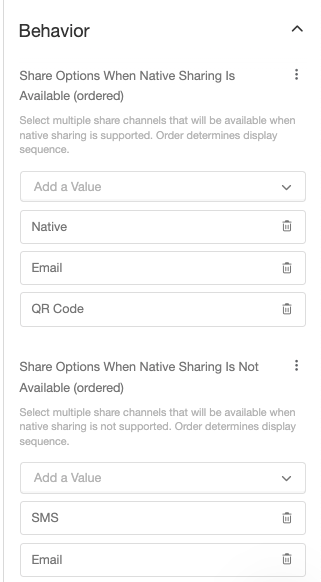
Updating Share Channels on a Legacy Campaign
If you have an Extole’s Legacy Campaign, your share channels will look like the below. Similarly to above, add the share channels you’d like enabled on mobile (Share Options When Native Sharing is Available) and desktop (Share Options When Native Sharing is Not Available). The possible options are formatted as seen below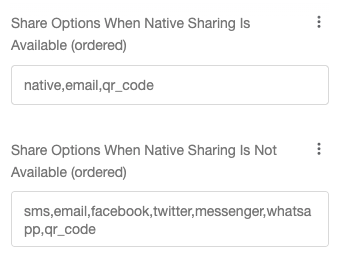
If a user visits the site on their mobile device, but it is NOT native mobile compatible, they will see the second list of options.
What is Native Sharing?
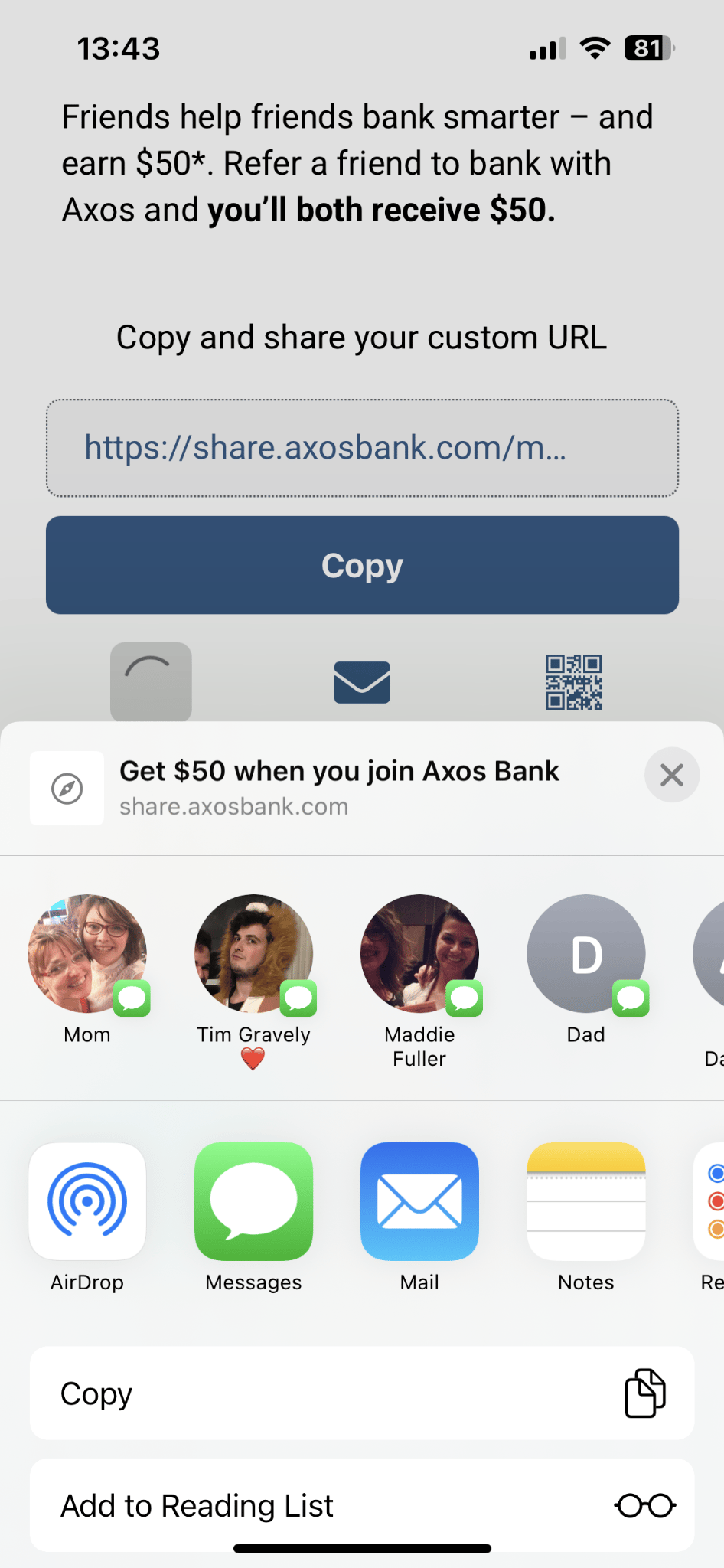
Native sharing is the built-in share menu on your phone that pops up when you tap a Share button, letting you quickly send something via text, Slack, email, or any other app you use most.
How SMS and Native Mobile Are Reported
SMS and Native Mobile are distinct channels in your reports, and they record distinct actions:- SMS: the advocate taps the SMS button, which opens the messaging app on their phone with the share message already filled in. The share is reported on the SMS channel.
- Native Mobile: the advocate taps the Share button, which opens the phone’s own share menu. The share is reported on the Native Mobile channel whichever app the advocate then picks.
On a phone that supports native sharing, advocates see only the channels listed under Share Options When Native Sharing Is Available. If SMS is not in that list, every text an advocate sends goes through the share menu and is reported as Native Mobile. Add SMS to that list to report texting as its own channel.