> ## Documentation Index
> Fetch the complete documentation index at: https://docs.extole.com/llms.txt
> Use this file to discover all available pages before exploring further.

# Files

> Extole offers several ways for you to send and receive important program data through file transfers.

## Overview

Exchanging data with Extole via file transfer is a great integration option if your business operates online, as well as over the phone or in person. You can send bulk event files as a recurring pipeline, as a one-off upload in the Tech Center, or by dropping them on an SFTP server.

## Recurring Inbound File Pipelines

For an ongoing CSV or SFTP event feed — detect the file, validate its headers, and create events automatically — install the [File Integration](/technical/platform-integrations/extensions/file-integration) extension. That is the path for "create a file integration."

The SFTP server itself is still created in the Tech Center. Deliver files into your Extole directory; the Event File job runs when a matching file arrives. See [Extole SFTP Server](/technical/platform-integrations/files/extoles-sftp-server).

The column layout for event files is on [File-based Events](/technical/platform-integrations/files/file-based-events).

## Upload Files Directly to Extole

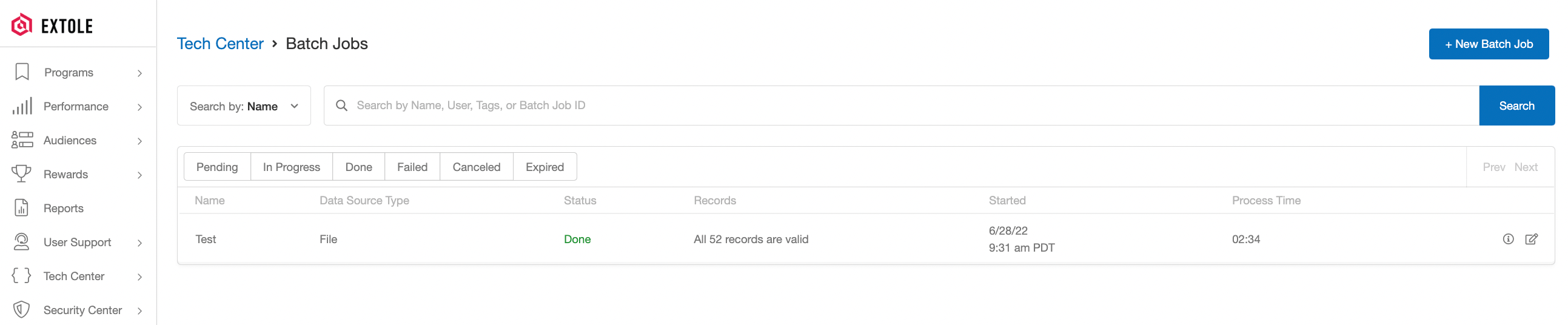
In the Tech Center of your My Extole account, you have the option to directly upload files of key program events. Our Batch Jobs page offers a powerful self-service experience for your file upload needs. This page allows you to quickly and reliably upload file-based events and automate jobs of large files. See [General File Uploads](/technical/platform-integrations/files/general-file-uploads).

<img src="https://mintcdn.com/extole/m8INyJRwaO8CRdkT/images/extole/d14c8eeb6e5ba3ff4d8dfb27bb72ffa85ff1c2630b831b61c98ebb704d28db36.png?fit=max&auto=format&n=m8INyJRwaO8CRdkT&q=85&s=8ca9475d5c7a6128dff5ab94e6117e48" alt="Screenshot showing In the Tech Center of your My Extole account, you have the option to directly upload files of key program events. Our Batch Jobs page offers a powerful..." width="2586" height="536" data-path="images/extole/d14c8eeb6e5ba3ff4d8dfb27bb72ffa85ff1c2630b831b61c98ebb704d28db36.png" />

## Send Files via SFTP

Also through the My Extole Tech Center, you can automate batch files via Secure File Transport Protocol (SFTP). This is a generally available protocol that provides strong encryption when transferring files that may contain Personally Identifiable Information (PII) to and from Extole.

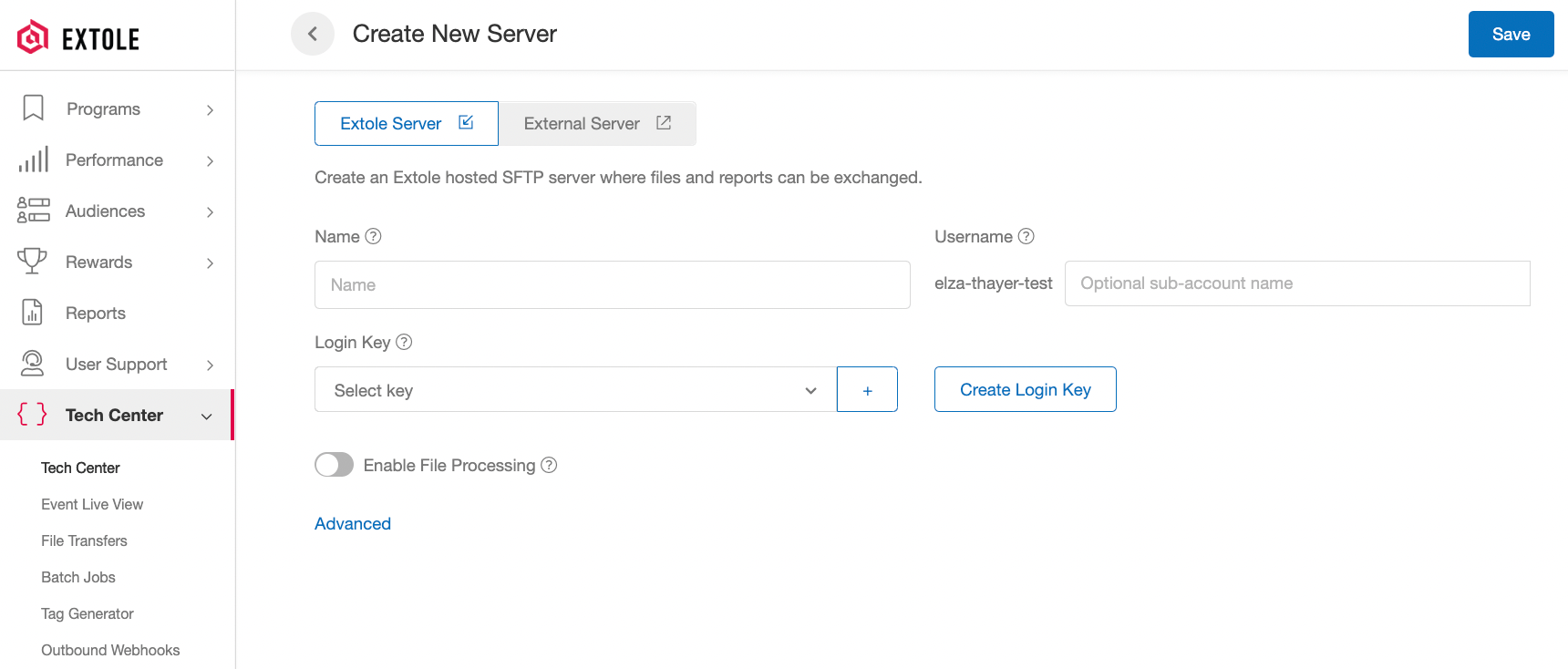
You can create [Extole SFTP servers](/technical/platform-integrations/files/extoles-sftp-server) as well as set up [external servers](/technical/platform-integrations/files/external-sftp-servers) to which you would like to send report data.
<img src="https://mintcdn.com/extole/m8INyJRwaO8CRdkT/images/extole/db94a15b683426891b0fa095348c12d8c542ff969a2c1cf1b9f4fc50e330133a.png?fit=max&auto=format&n=m8INyJRwaO8CRdkT&q=85&s=e89ee0bbc0db14239d46c45b5cd637b9" alt="Screenshot showing You can create Extole SFTP servers as well as set up external servers to which you would like to send report data." width="1720" height="734" data-path="images/extole/db94a15b683426891b0fa095348c12d8c542ff969a2c1cf1b9f4fc50e330133a.png" />


## Related topics

- [Audience Files](/technical/platform-integrations/files/audience-files.md)
- [Eligibility Files](/guides/audiences-and-segmentation/audience-management/eligibility-files.md)
- [File-based Events](/technical/platform-integrations/files/file-based-events.md)
- [General File Uploads](/technical/platform-integrations/files/general-file-uploads.md)
- [Upload a file asset](/api-reference/files/upload-a-file-asset.md)


This documentation is built and hosted on [Mintlify](https://mintlify.com), a developer documentation platform.