> ## Documentation Index
> Fetch the complete documentation index at: https://docs.extole.com/llms.txt
> Use this file to discover all available pages before exploring further.
# Alkami
> The Extole and Alkami integration turns your digital banking channel into a valuable source of new members through personalized referral and engagement programs.
## Overview
This integration is easy to install, requires no custom coding, and includes the following features:
* **Fully integrated in-app sharing**: When members tap on a CTA, they can access their pre-generated referral link and refer friends via email, SMS, social, or QR code without ever leaving digital banking.
* **Secure authentication with SSO**: Securely verify and share member identity with Extole using JWT (JSON Web Tokens.)
## Prerequisites
| Requirement | Description |
| :--------------------------------------------------------------- | :------------------------------------------------------------------------------------------------------------------------------------------------------------------------------------------------------------------------------------------------------------------------------ |
| Member ID | Your unique identifier for a member. In order to use this integration, this identifier must be available in Alkami. Your member identity value should **NOT** be the members SSN. |
| An `Alkami SDK License` with `Standard SSO` enabled | You must have an Alkami SDK license to use this integration, with the Standard SSO feature enabled.
Alkami's Standard SSO feature is in beta. If you do not have access, open a “Feature Request” ticket with Alkami to get access to the Standard SSO Admin Widget. |
| Branded Program Domain | You must create and brand your referral subdomain (share.YourCompany.com). Instructions [here](https://docs.extole.com/docs/extole-dns-requirements#create-cnames-for-your-domains). |
| Alkami Integration Component installed in Extole Partners Center | If you do not see the Alkami integration in Extole's Partner center, submit a request to [support@extole.com](mailto:support@extole.com). |
## Before you Start
### Add your Extole team to your digital banking staging and production sites
Add your Extole team to both environments so that they can assist with testing and troubleshooting.
### Whitelist your digital banking staging and production domains for your Extole Program
Go to Tech Center > Domains > Branded Program Domain and click the Edit icon.
* Under **Production Sites Extole Should Support Requests From** - add the URL of your production digital banking site. Select "This domain and any subdomains" as the type.
* Repeat the same process for **Testing Sites Extole Should Support Requests From **but with URL of your staging digital banking site.
## Integration Set Up
### Step 1: Set-up referral microsite
To configure your referral page, go the Extole campaign editor for your referral campaign, select the `Microsite` creative experience, and edit the copy and creative.
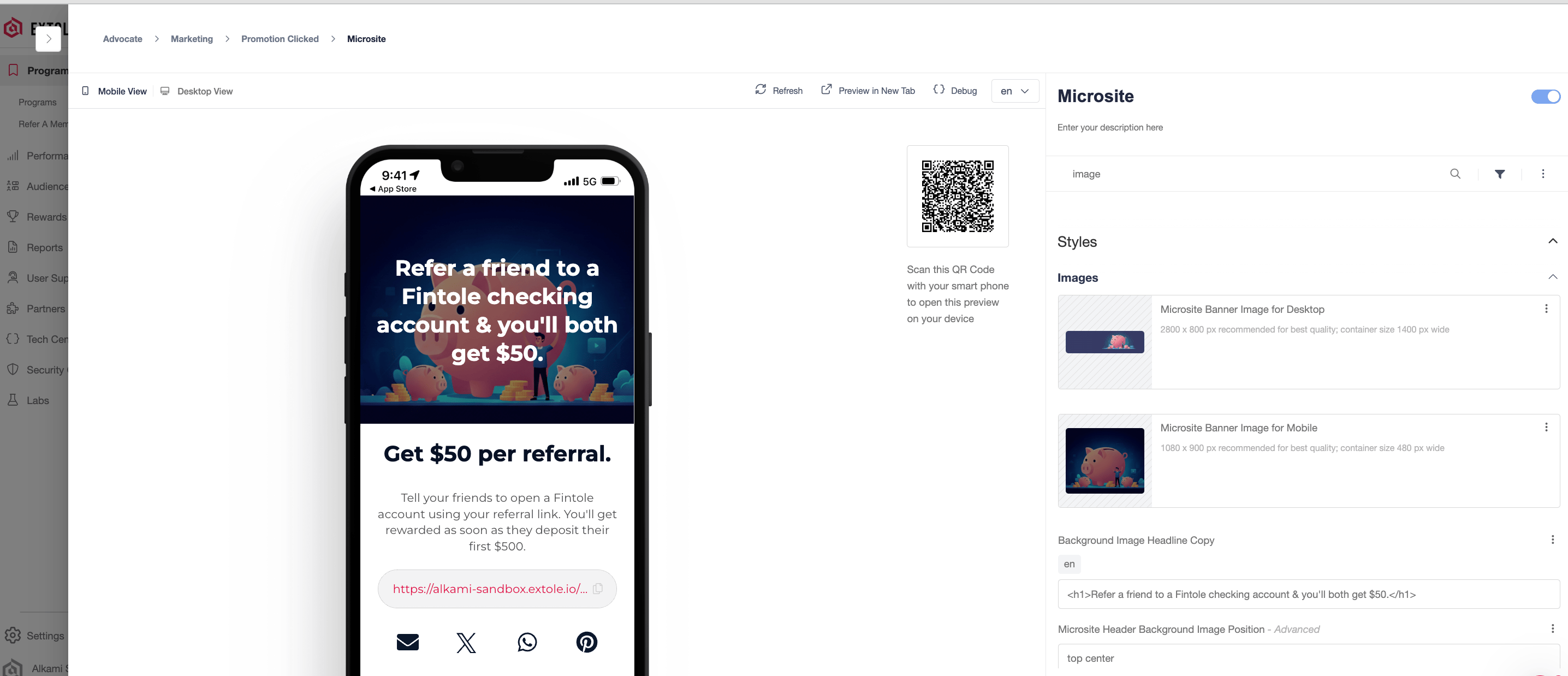 When a member taps on a navigation menu item or banner within in Alkami, they'll be taken to an embedded version of the microsite.
### Step 2: Set up the Alkami integration in the Extole platform
1. Go to your Program dashboard and create [a promo link](https://docs.extole.com/docs/how-to-create-a-promo-link). Make sure to name your promo link appropriately (e.g `Alkami Embedded`) so that you can track downstream analytics in your Extole dashboard.
2. Then, navigate to `Security` > `Create Access Token`. Create and copy your access token and store it in a safe place, as you will not be able to access it beyond this point.
3. Lastly, navigate to `Partners` > `Alkami` and install the Alkami integration. Update the promotion URL with the promo link you created above and click`Apply Changes`.
### Step 3: Set up a Standard SSO in the Alkami Platform
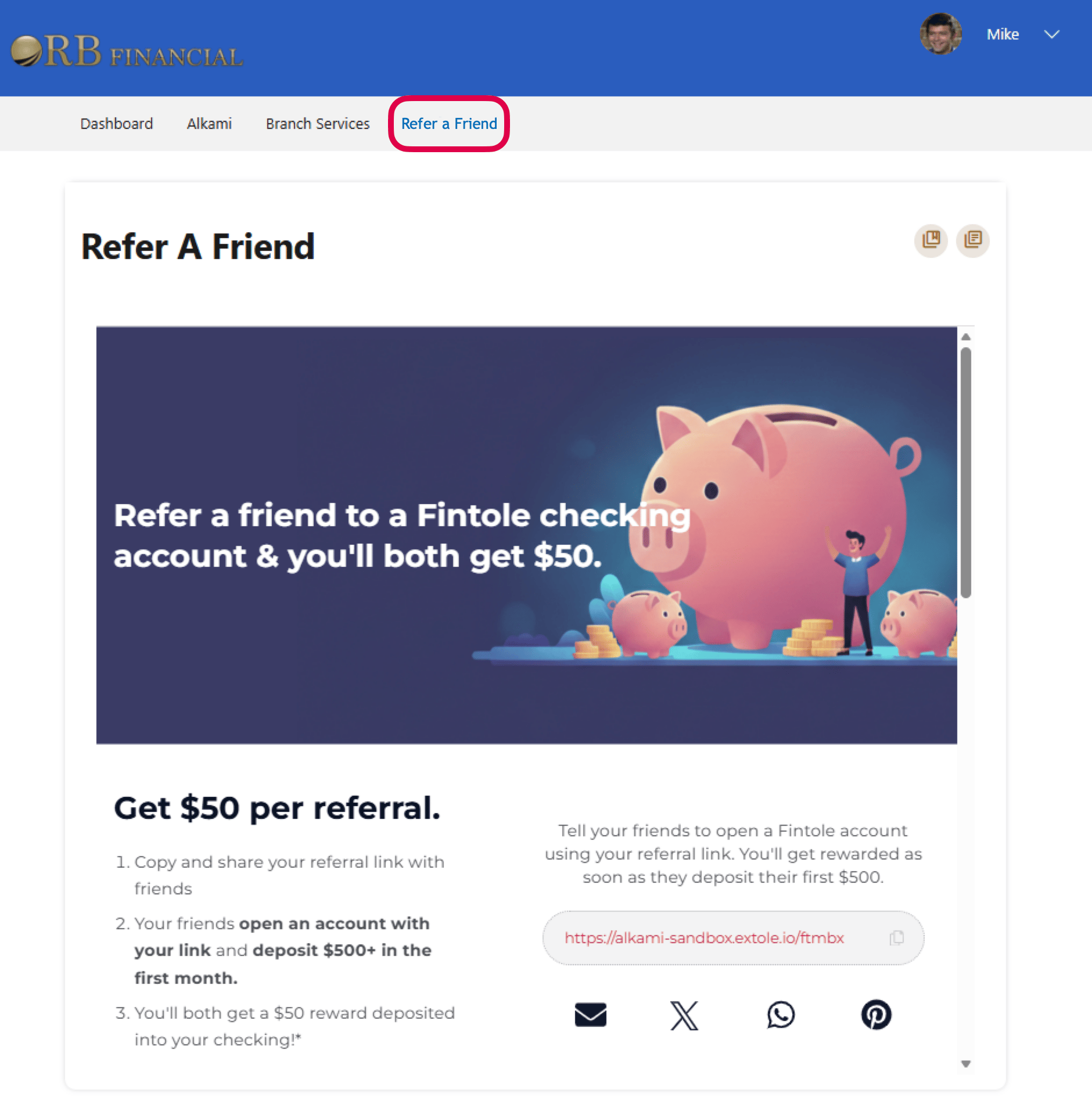
When a member taps on a navigation menu item or banner within in Alkami, they'll be taken to an embedded version of the microsite.
### Step 2: Set up the Alkami integration in the Extole platform
1. Go to your Program dashboard and create [a promo link](https://docs.extole.com/docs/how-to-create-a-promo-link). Make sure to name your promo link appropriately (e.g `Alkami Embedded`) so that you can track downstream analytics in your Extole dashboard.
2. Then, navigate to `Security` > `Create Access Token`. Create and copy your access token and store it in a safe place, as you will not be able to access it beyond this point.
3. Lastly, navigate to `Partners` > `Alkami` and install the Alkami integration. Update the promotion URL with the promo link you created above and click`Apply Changes`.
### Step 3: Set up a Standard SSO in the Alkami Platform
Please see the [prerequisites](https://docs.extole.com/docs/alkami#prerequisites) before completing this step.
1. In your your Staging Admin Alkami account, navigate to **Set-Up > Standard SSO > Create Default SSO**
2. In the Default SSO configuration, update the `Name` to **ExtoleReferrals** and the `Description` to **Extole Referrals and Rewards SSO**. Then, grab your Bank Identifier and paste it in a separate document or your notes app.
3. Delete the default SSO configuration and copy and paste the following configuration. Replace the "MY\_ID" from Step #3.2 above, and "MY\_TOKEN" with the Token from Step #2.2 above.
`Alkami SDK License`
### Step 4: Create your navigation menu item and banners in Alkami staging
In the Alkami admin, create new menu item and name it Refer a Friend. In addition to the menu item, you can also place banner adds on your Alkami Dashboard. Connect the menu item

 ### Step 5: QA and push to production
QA the experience in staging to ensure that everything performs flawlessly for your members. After successful QA, repeat steps 3 and 4 in your production environment.
## FAQs
### How does this integration work?
When a member logs into online banking and taps on a Refer a Friend CTA, Alkami will send a real-time request to Extole's API to federate the members identity and fetch the promote link.
`Standard SSO`
In real-time, Extole will then respond with the promote link and a signed JWT to verify the members identify.
`Microsite`
Members will then be able to access the Extole content from the promote link within digital banking. Extole will use the email address from the initial request to automatically generate their referral link. Name and member ID are then stored on the Extole profile for rewarding, reporting, and personalization.
### Is this integration available for our mobile banking app?
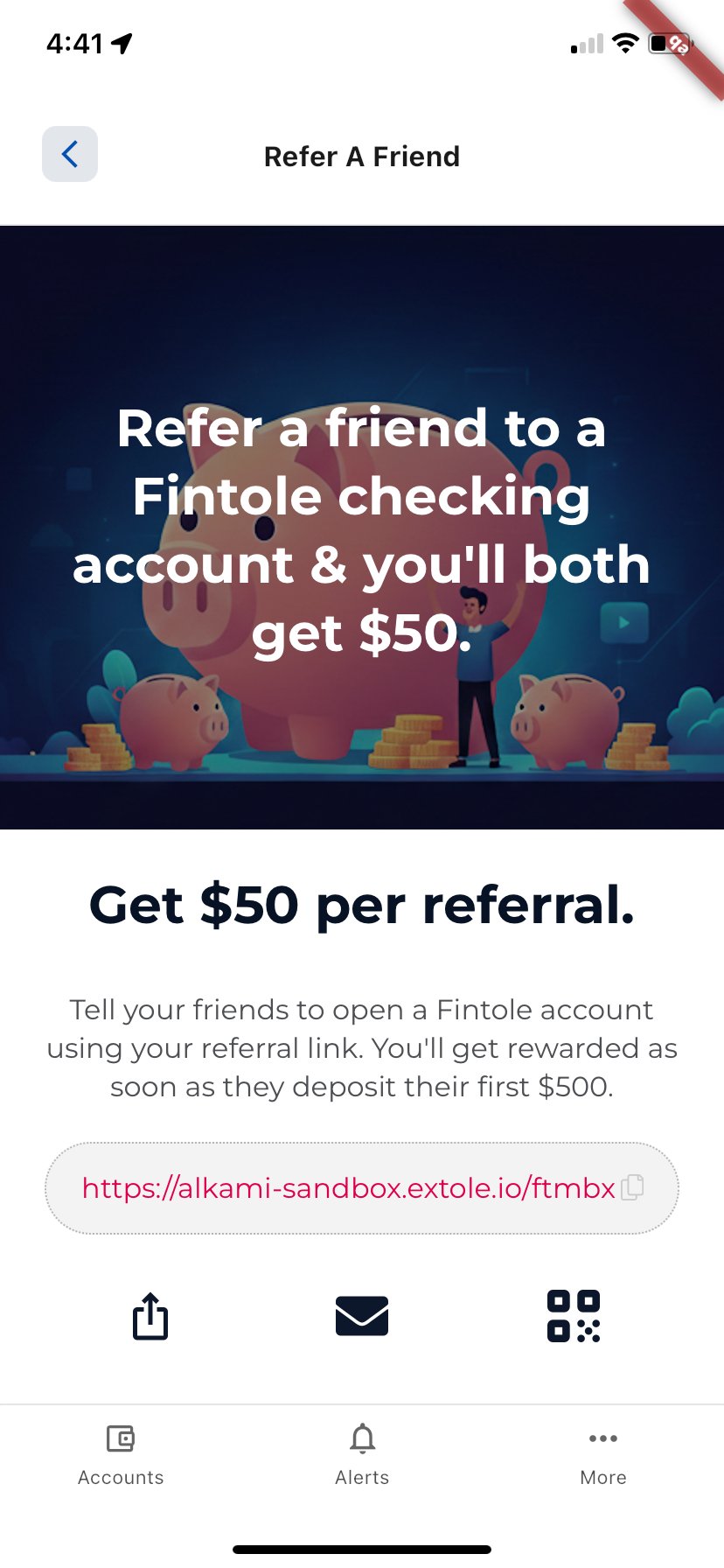
Yes, in addition to desktop, the Extole and Alkami integration is fully supported and optimized for your mobile banking app. The referral microsite is mobile-responsive and is embedded directly within your mobile banking experience. On mobile devices, members can also share via SMS, QR code, or their favorite app.
### Step 5: QA and push to production
QA the experience in staging to ensure that everything performs flawlessly for your members. After successful QA, repeat steps 3 and 4 in your production environment.
## FAQs
### How does this integration work?
When a member logs into online banking and taps on a Refer a Friend CTA, Alkami will send a real-time request to Extole's API to federate the members identity and fetch the promote link.
`Standard SSO`
In real-time, Extole will then respond with the promote link and a signed JWT to verify the members identify.
`Microsite`
Members will then be able to access the Extole content from the promote link within digital banking. Extole will use the email address from the initial request to automatically generate their referral link. Name and member ID are then stored on the Extole profile for rewarding, reporting, and personalization.
### Is this integration available for our mobile banking app?
Yes, in addition to desktop, the Extole and Alkami integration is fully supported and optimized for your mobile banking app. The referral microsite is mobile-responsive and is embedded directly within your mobile banking experience. On mobile devices, members can also share via SMS, QR code, or their favorite app.
 ### I'm not able to preview the experience in Alkami, but I don't see any errors.
Most Extole programs have a rule to check that a users email is on the eligible members list before they are allowed to share. To by-pass this check, you can add the emails of any users to your audience in the Extole platform before testing.
### What member data does Alkami share with Extole?
The following member data is securely transmitted from Alkami to Extole via SSO.
| Key | Description | Example Value |
| :------------------- | :---------------------------- | :-------------------- |
| `member_id` required | Your unique ID for the member | 246810 |
| `email`required | Member's email address | `janedoe@example.com` |
| `first_name` | Member's first name | Jane |
| `last_name` | Member's last name | Doe |
### I'm not able to preview the experience in Alkami, but I don't see any errors.
Most Extole programs have a rule to check that a users email is on the eligible members list before they are allowed to share. To by-pass this check, you can add the emails of any users to your audience in the Extole platform before testing.
### What member data does Alkami share with Extole?
The following member data is securely transmitted from Alkami to Extole via SSO.
| Key | Description | Example Value |
| :------------------- | :---------------------------- | :-------------------- |
| `member_id` required | Your unique ID for the member | 246810 |
| `email`required | Member's email address | `janedoe@example.com` |
| `first_name` | Member's first name | Jane |
| `last_name` | Member's last name | Doe |