> ## Documentation Index
> Fetch the complete documentation index at: https://docs.extole.com/llms.txt
> Use this file to discover all available pages before exploring further.
# Deleting Team Members
> As your team changes, you will need to remove users who no longer need access to your dashboard. To remove users, follow the steps below.
As your team changes, you will need to remove users who no longer need access to your dashboard. To remove users, follow the steps below.
# Steps
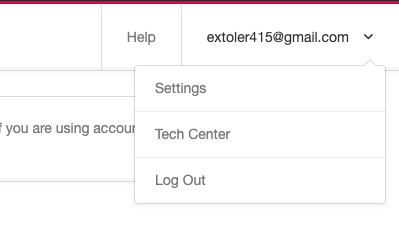
1. Click the drop-down menu located on the top right corner of your browser window. From the drop-down, select \***Settings.** \*\
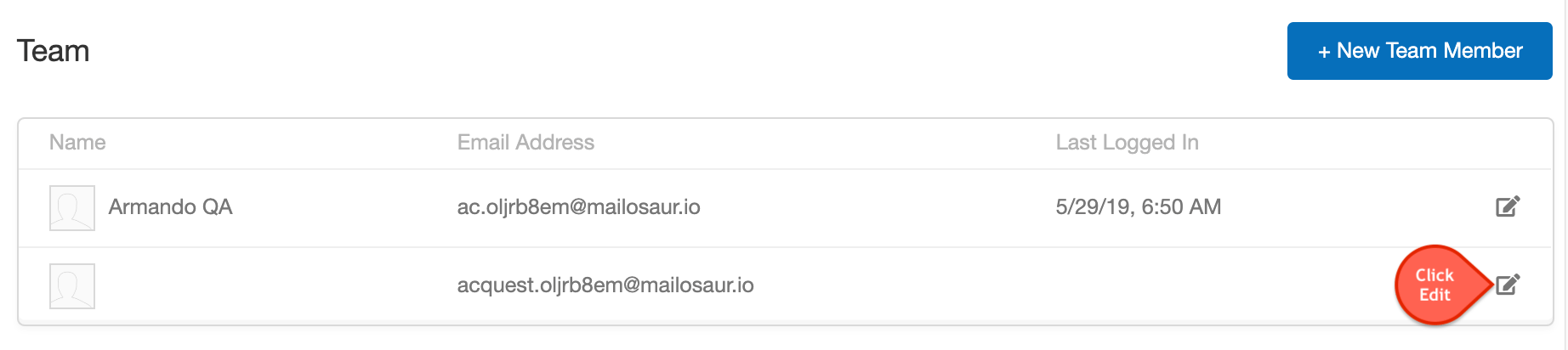
 2. In the Team section, click the ***Edit*** button denoted by the pencil icon.\
\
2. In the Team section, click the ***Edit*** button denoted by the pencil icon.\
\
 3. This will bring up theedit user modal. Click the \***Delete User** \* link located on the lower left part of the pop-up window.\
\
3. This will bring up theedit user modal. Click the \***Delete User** \* link located on the lower left part of the pop-up window.\
\
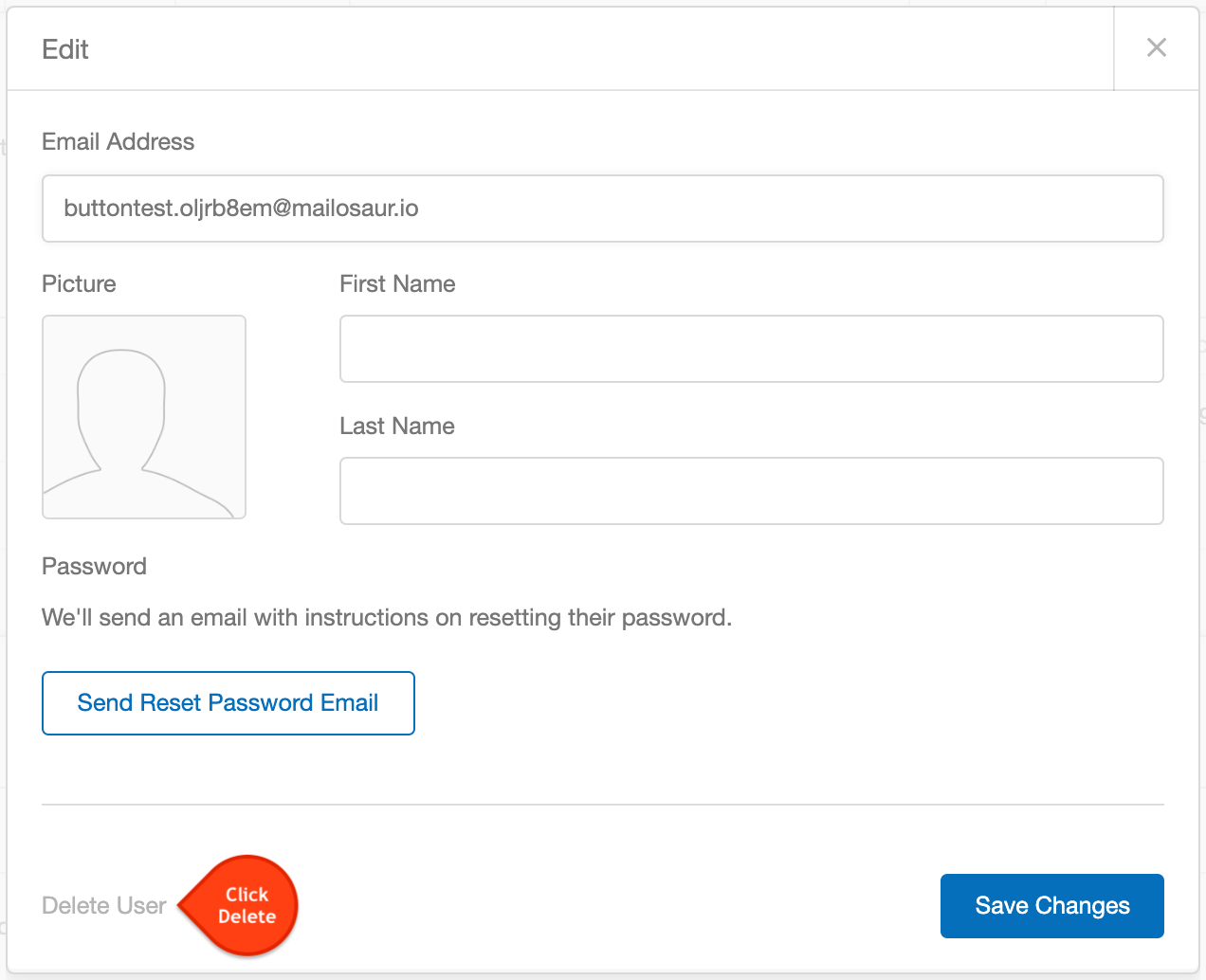 4. The link will change to a prompt asking **"Are you sure?"** followed by the options **Yes** or **No.** Click Yes to remove the user.
The user will be deleted instantly and no notification will be sent to the user.
4. The link will change to a prompt asking **"Are you sure?"** followed by the options **Yes** or **No.** Click Yes to remove the user.
The user will be deleted instantly and no notification will be sent to the user.