> ## Documentation Index
> Fetch the complete documentation index at: https://docs.extole.com/llms.txt
> Use this file to discover all available pages before exploring further.
# Share Link and Promote Link Behavior
> Set your share and promote destination URLs to drive higher conversions
When building your referral program with Extole, you can improve conversions by directing both advocates and their referred friends to targeted pages on your site or Extole hosted microsites. The Share Destination and Promote Destination settings in Extole's campaign editor determine where these users land after clicking referral or promotion links. Properly configuring these can greatly enhance your referral experience and results.
# Share Destination
The Share Destination is where referred friends are sent after clicking an advocate's share link. You can direct friends to either the Extole Friend Landing Microsite, or to a specific URL on your site where the Friend Landing overlay will appear.
## **To Send Friends to a Specific URL on Your Site**
1. Go to your campaign in Extole.
2. Navigate to: Edit Creatives → Friend → Share Destination.
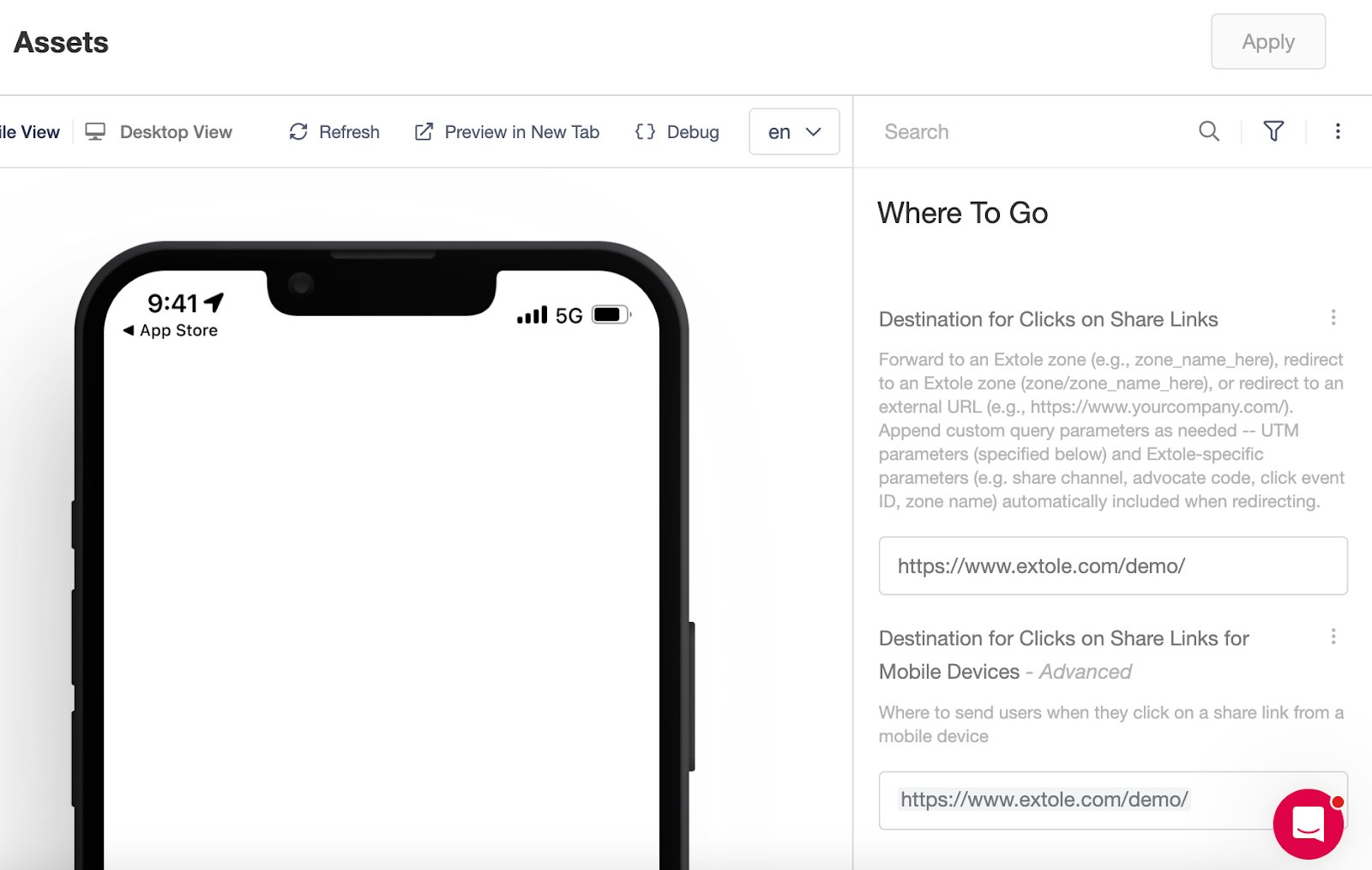
3. Under Destination for Clicks on Share Links, enter the URL where you want referred friends to land.
4. If you want mobile users to have a different experience, update Destination for Clicks on Share Links for Mobile Devices with the mobile-specific URL.
 ## **To Send Friends to the Extole Friend Landing Microsite**
1. Go to your campaign in Extole.
2. Navigate to: Edit Creatives → Friend → Share Destination.
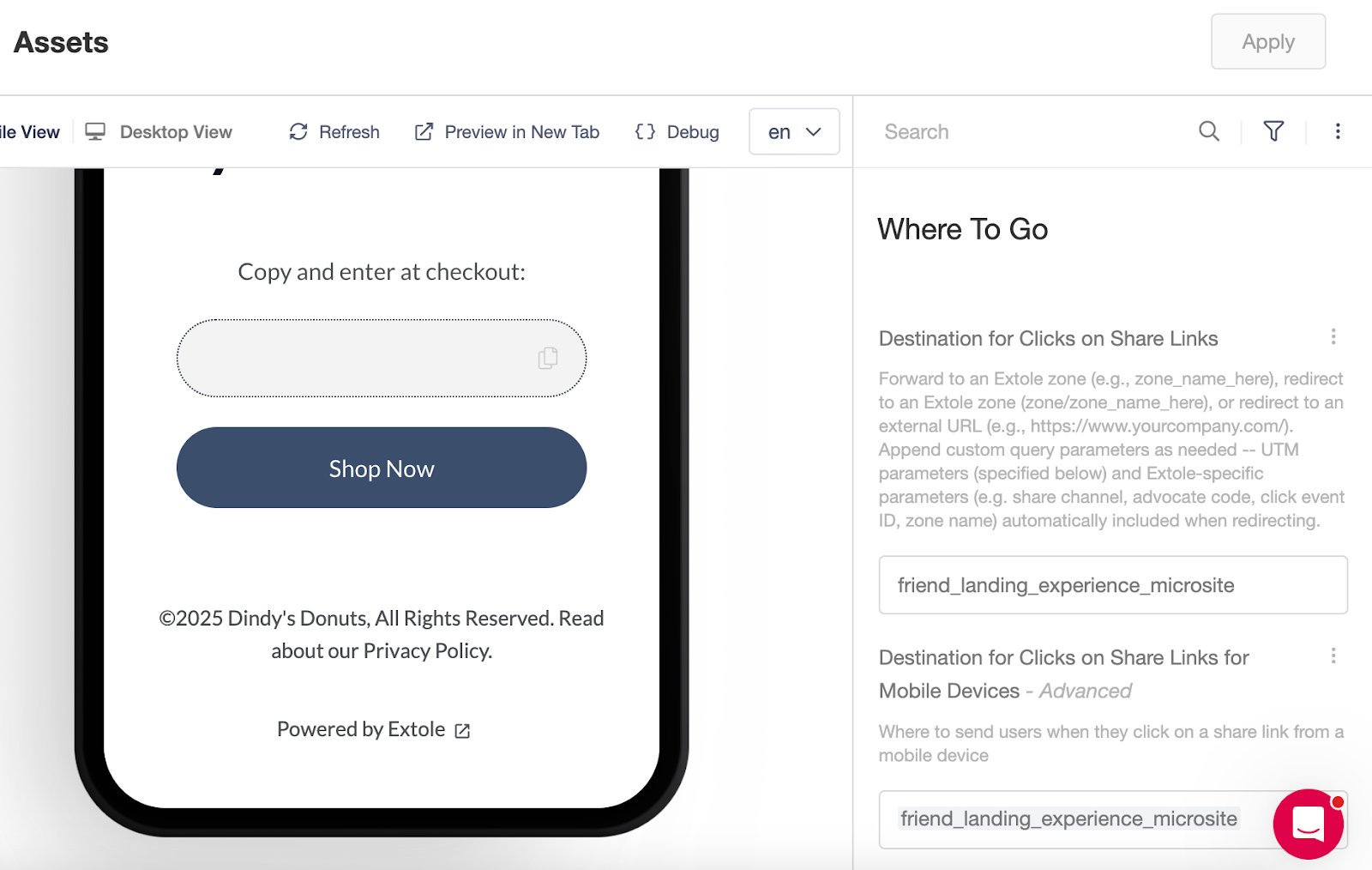
3. Under Destination for Clicks on Share Links, enter: friend\_landing\_experience\_microsite.
4. For a different mobile experience, update Destination for Clicks on Share Links for Mobile Devices.
## **To Send Friends to the Extole Friend Landing Microsite**
1. Go to your campaign in Extole.
2. Navigate to: Edit Creatives → Friend → Share Destination.
3. Under Destination for Clicks on Share Links, enter: friend\_landing\_experience\_microsite.
4. For a different mobile experience, update Destination for Clicks on Share Links for Mobile Devices.
 ## **Adding UTM Parameters**
You can also set custom UTM parameters in this section for tracking in your web analytics platform. This is where you will update the UTMs for all referred friends coming back to your site.[Learn more about integrating with analytics here.](/guides/dashboards-and-reporting/integrating-reports/integrating-extole-with-web-analytics)
>
> Tip: If your campaign editor looks different, you may be using an older version of Extole. In that case, look for the Redirect URL field to update your share destination.
>
# Promote Destination
> The Promote Destination determines where advocates are sent when they click a promotion link or call-to-action (CTA) in your referral campaign, such as from an email invite or banner. You can send advocates to the Extole Advocate Microsite or a dedicated URL on your site—either with the share experience overlay or with an embedded Extole widget.
>
## **To Send Advocates to a Specific URL on Your Site**
1. Go to your campaign in Extole.
2. Navigate to: Edit Creatives → Advocate → Promote Destination.
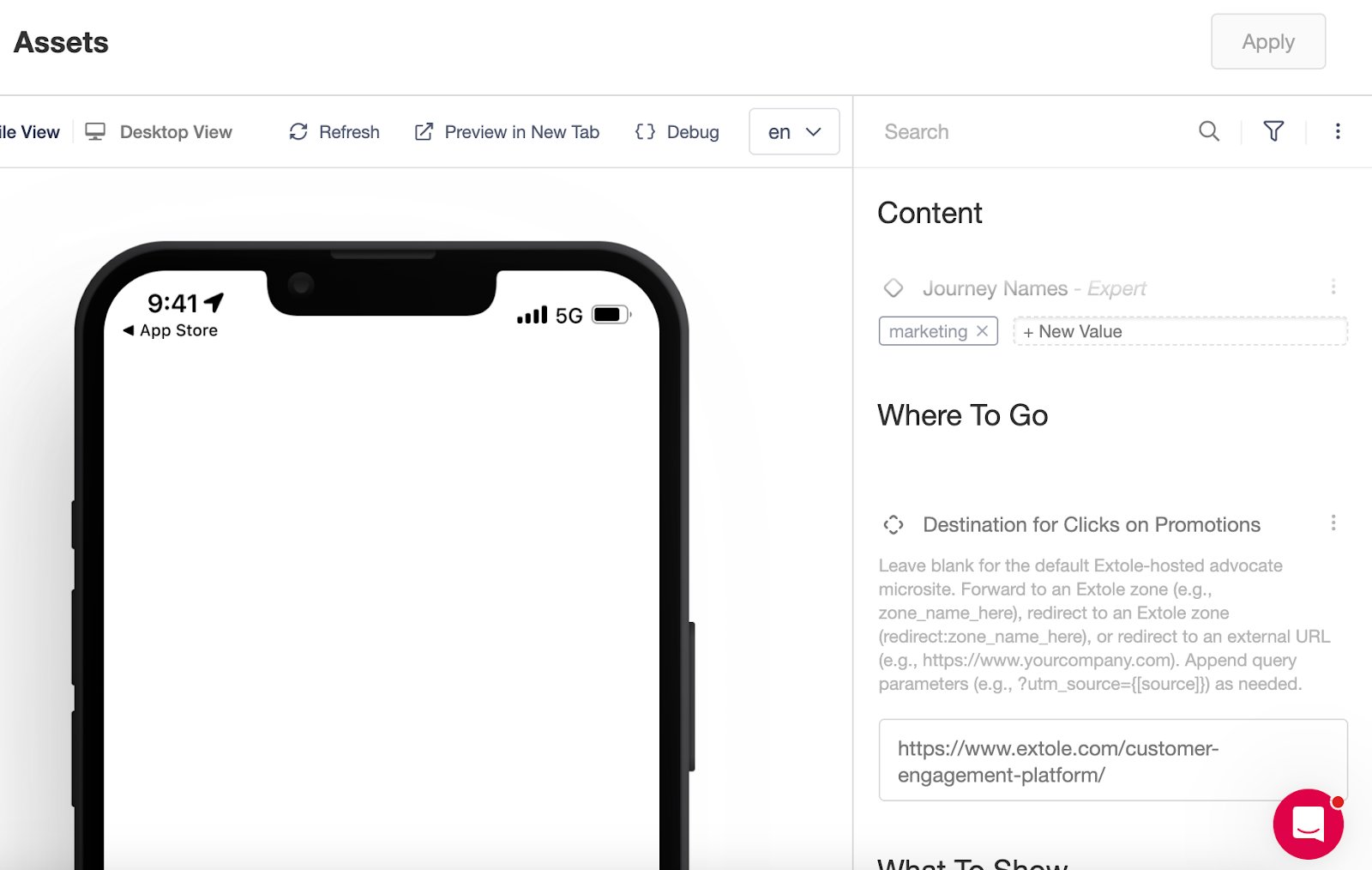
3. Under Destination for Clicks on Promotions, enter the URL where you want advocates to land. This could be a page with the Extole widget or embedded experience.
>
## **Adding UTM Parameters**
You can also set custom UTM parameters in this section for tracking in your web analytics platform. This is where you will update the UTMs for all referred friends coming back to your site.[Learn more about integrating with analytics here.](/guides/dashboards-and-reporting/integrating-reports/integrating-extole-with-web-analytics)
>
> Tip: If your campaign editor looks different, you may be using an older version of Extole. In that case, look for the Redirect URL field to update your share destination.
>
# Promote Destination
> The Promote Destination determines where advocates are sent when they click a promotion link or call-to-action (CTA) in your referral campaign, such as from an email invite or banner. You can send advocates to the Extole Advocate Microsite or a dedicated URL on your site—either with the share experience overlay or with an embedded Extole widget.
>
## **To Send Advocates to a Specific URL on Your Site**
1. Go to your campaign in Extole.
2. Navigate to: Edit Creatives → Advocate → Promote Destination.
3. Under Destination for Clicks on Promotions, enter the URL where you want advocates to land. This could be a page with the Extole widget or embedded experience.
>
 >
>
## **To Use the Extole Advocate Microsite**
1. Go to your campaign in Extole.
2. Navigate to: Edit Creatives → Advocate → Promote Destination.
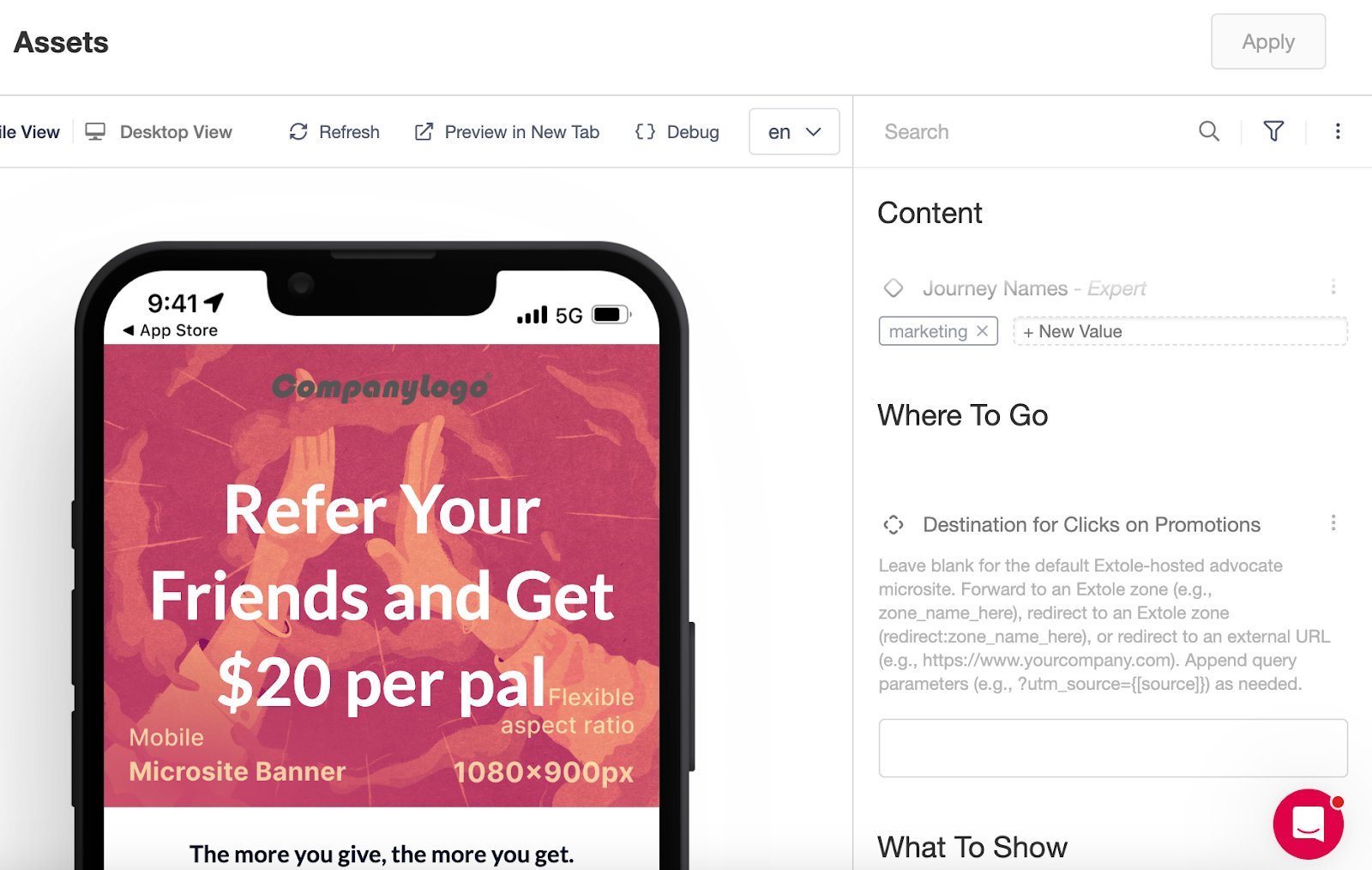
3. Under Destination for Clicks on Promotions, leave the field blank.
>
>
>
## **To Use the Extole Advocate Microsite**
1. Go to your campaign in Extole.
2. Navigate to: Edit Creatives → Advocate → Promote Destination.
3. Under Destination for Clicks on Promotions, leave the field blank.
>
 >
>
> Tip: On older versions of Extole creatives, look for the Promote Destination URL or Zone field to make these updates.
>
# **Best Practices**
* Select High-Conversion Pages: Direct friends and advocates to pages that are optimized for conversion to maximize referral performance.
* Create Custom Landing Pages: Where possible, design landing pages that welcome referred friends, acknowledge their referral, and provide key information about your brand.
* Test Mobile Experiences: Always check both desktop and mobile configurations to ensure a seamless referral journey for all users.
* Use Analytics: Set UTM parameters for robust tracking and insights into referral traffic sources and performance.
>
>
> Tip: On older versions of Extole creatives, look for the Promote Destination URL or Zone field to make these updates.
>
# **Best Practices**
* Select High-Conversion Pages: Direct friends and advocates to pages that are optimized for conversion to maximize referral performance.
* Create Custom Landing Pages: Where possible, design landing pages that welcome referred friends, acknowledge their referral, and provide key information about your brand.
* Test Mobile Experiences: Always check both desktop and mobile configurations to ensure a seamless referral journey for all users.
* Use Analytics: Set UTM parameters for robust tracking and insights into referral traffic sources and performance.