> ## Documentation Index
> Fetch the complete documentation index at: https://docs.extole.com/llms.txt
> Use this file to discover all available pages before exploring further.
# Making Updates to your Campaigns
> Learn how to duplicate a campaign, apply and publish changes when you want to update your copy and creative.
# Overview
When optimizing your referral program, it’s important to measure how changes to your campaign affect [key metrics on your dashboard](/guides/platform-overview/program-and-campaign-dashboards). To accurately test and compare results, we recommend creating a new campaign whenever you want to try new copy or creative.
# Duplicate a Campaign
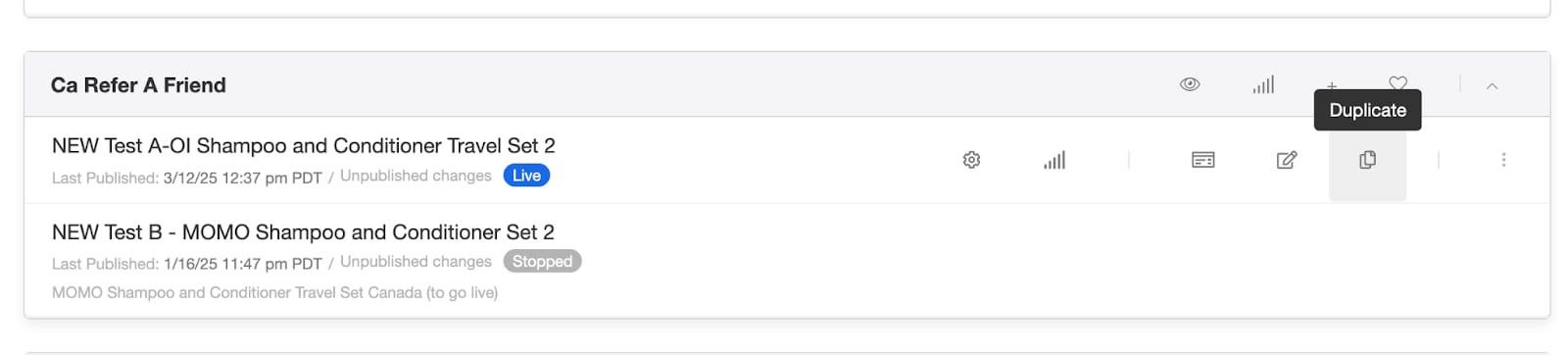
1. Go to the [Programs page](/guides/platform-overview/exploring-the-programs-page).
2. Hover over the campaign you want to copy and click the Duplicate icon.
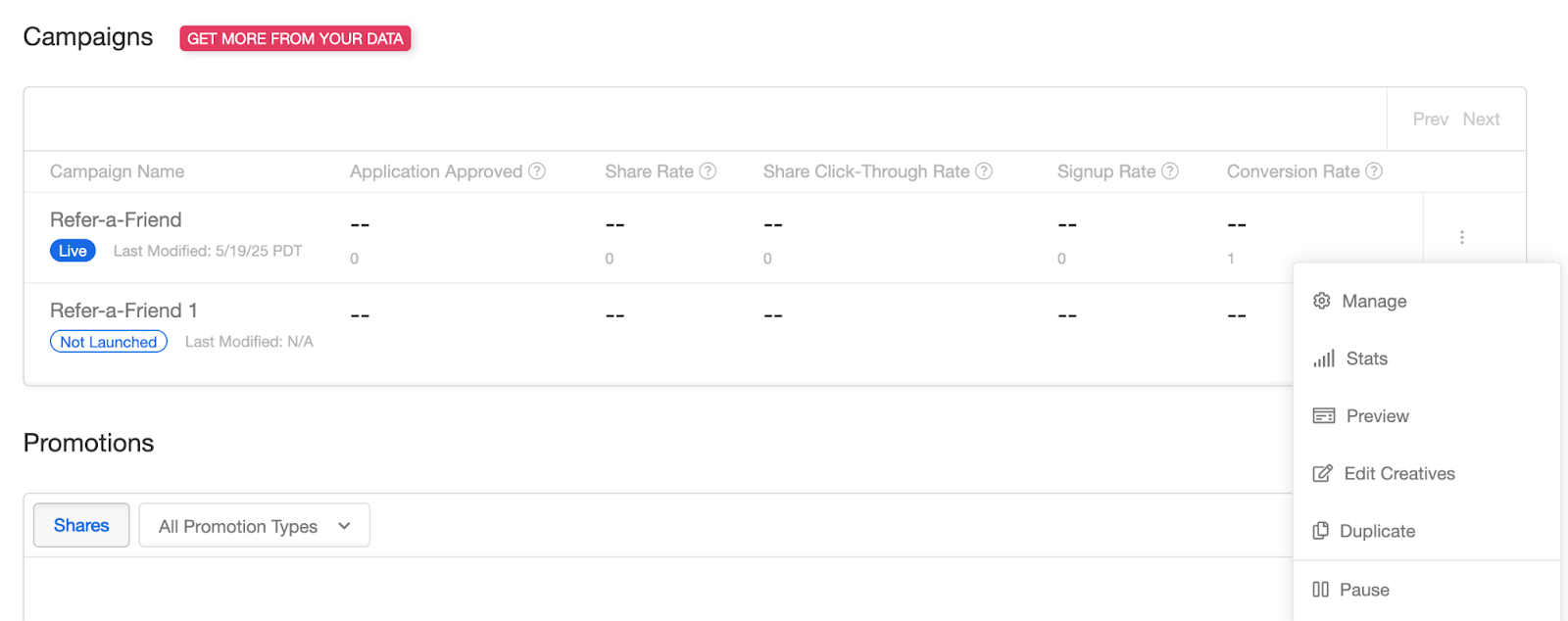
3. Alternatively, from your Program Dashboard, click the three dots next to the campaign and select Duplicate.
4. A new campaign will be created with the same name.
5. Go to the Basics tab to edit the Campaign Name and Description so you can easily distinguish it from the original.
#### Programs Page
 #### Program Dashboard:
 # Update Copy and Creative
Your team can make any necessary updates within the Campaign Editor. Need help with the editor? Check out[Using Extole’s Campaign Editor](/guides/programs-and-campaigns/campaign-creation-and-editing/using-extole-s-campaign-editor). After making your changes, click Apply.
>
> Clicking “Apply” saves your changes in the editor, but does not make them live yet.
>
# Publish or Set a Campaign Live
> To publish changes to a **live** campaign:
* Click Publish to update assets in production.
> To publish changes to a **new (not live)** campaign:
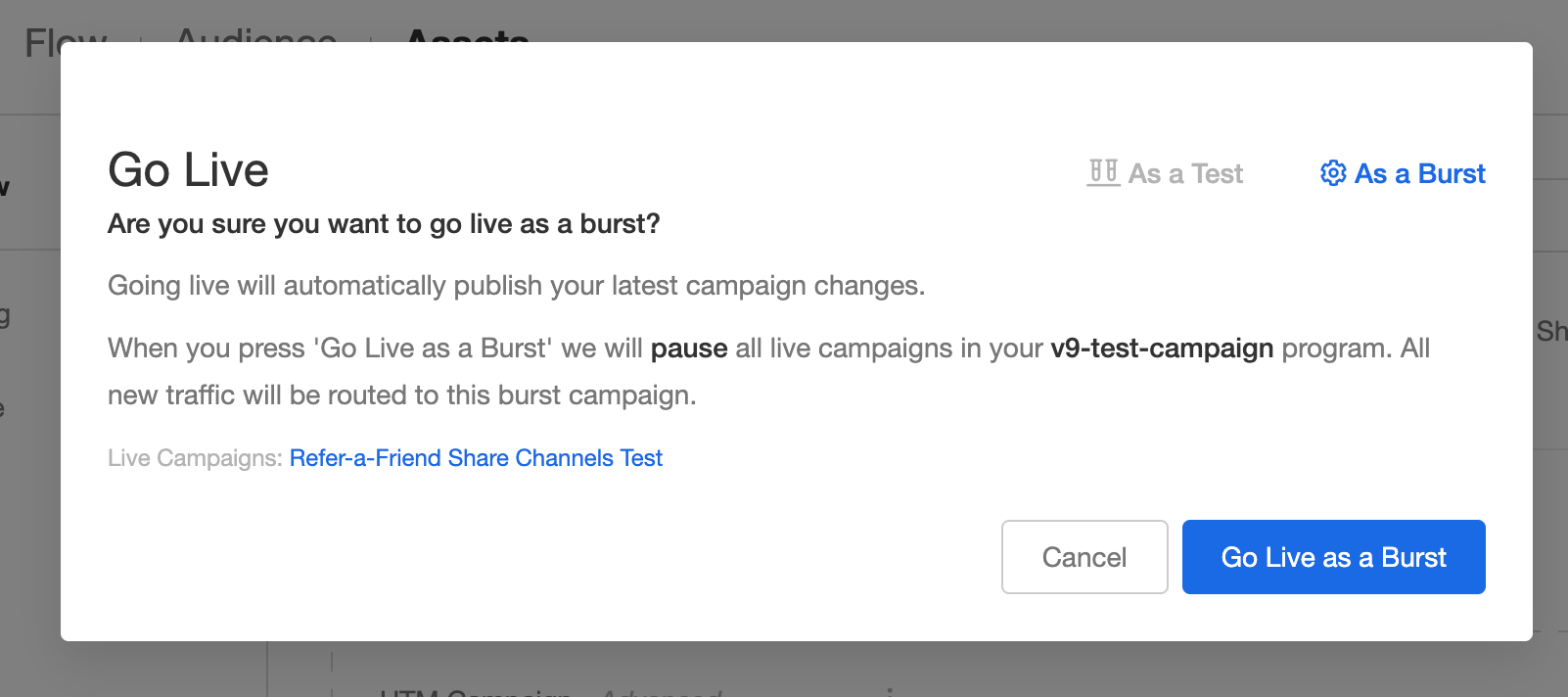
1. Click the three dots in the upper right corner and choose Go Live.
2. Choose one of the following:
3. Go Live as a Test: Divides traffic for A/B testing with your original live campaign.
4. Go Live as a Burst: Pauses the original campaign and replaces it with your updated campaign in production.
>
# Update Copy and Creative
Your team can make any necessary updates within the Campaign Editor. Need help with the editor? Check out[Using Extole’s Campaign Editor](/guides/programs-and-campaigns/campaign-creation-and-editing/using-extole-s-campaign-editor). After making your changes, click Apply.
>
> Clicking “Apply” saves your changes in the editor, but does not make them live yet.
>
# Publish or Set a Campaign Live
> To publish changes to a **live** campaign:
* Click Publish to update assets in production.
> To publish changes to a **new (not live)** campaign:
1. Click the three dots in the upper right corner and choose Go Live.
2. Choose one of the following:
3. Go Live as a Test: Divides traffic for A/B testing with your original live campaign.
4. Go Live as a Burst: Pauses the original campaign and replaces it with your updated campaign in production.
>
 >
# Scheduling, Pausing, or Ending Campaigns
> Want to schedule a campaign to go live later, or need information on pausing and ending campaigns? See our article:[Pausing and Ending Campaigns](/guides/programs-and-campaigns/managing-campaigns/pausing-ending-and-scheduling-campaigns).
>
# Scheduling, Pausing, or Ending Campaigns
> Want to schedule a campaign to go live later, or need information on pausing and ending campaigns? See our article:[Pausing and Ending Campaigns](/guides/programs-and-campaigns/managing-campaigns/pausing-ending-and-scheduling-campaigns).